Defining a time range for Sending Messages
If no specific time ranges are defined for when a message should be sent to a contact, the same conditions may be met multiple times, resulting in duplicate messages. Here are the steps to avoid this:
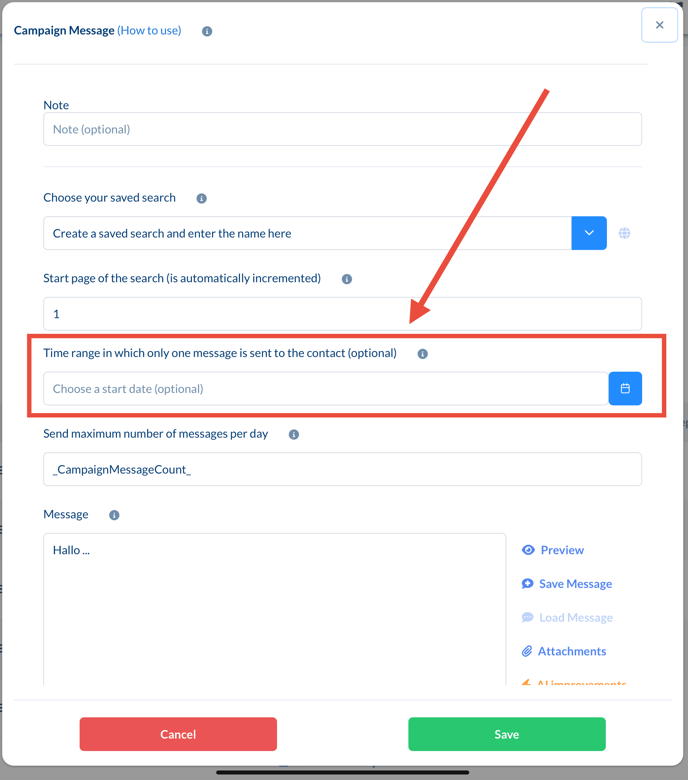
1. Define a Time range:
• Set a start and end date in the function to establish a fixed period during which messages can be sent.
• Example: If the campaign started on January 1st, set this date as the start date. This ensures that no duplicate messages are sent afterward.
2. Recommendation:
• If the Time range was not defined from the beginning, you can correct this later. Set the start date to the point when the function was first executed.
Importance of Conditions for Imported Target Audiences
When using an imported target audience, it is important to set conditions to remove contacts from the audience after the message has been sent. This prevents them from being contacted again in future campaigns.
Procedure for Imported Target Audiences:
1. Add a Condition: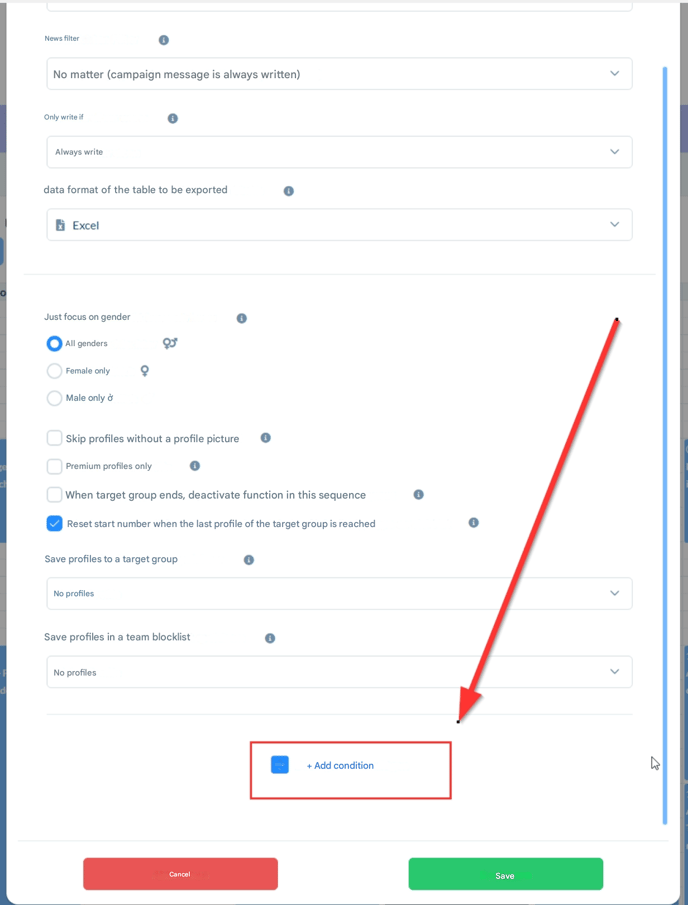
• At the bottom of the function settings, you can add conditions. Here, you can specify that contacts should be removed from the target audience after receiving a message.
• This ensures that they are not contacted multiple times, even if the target audience is used in multiple functions.
Handling Already Duplicated Messages
If messages have already been sent multiple times to the same contacts, you should take the following actions:
- Combine Time range and conditions:
-
Use both the defined time range and conditions to filter the target audience.
- This ensures that no further duplicate messages are sent.
-
- Review Contacts:
- Identify the affected contacts and remove them manually from the target audience if necessary to prevent future overlaps.