Enter a date in the "Start date" field, and from that date onward, each contact will receive only one message (and not a second, third, etc.). The start date can also be in the past. Expert mode⤴ must be enabled.
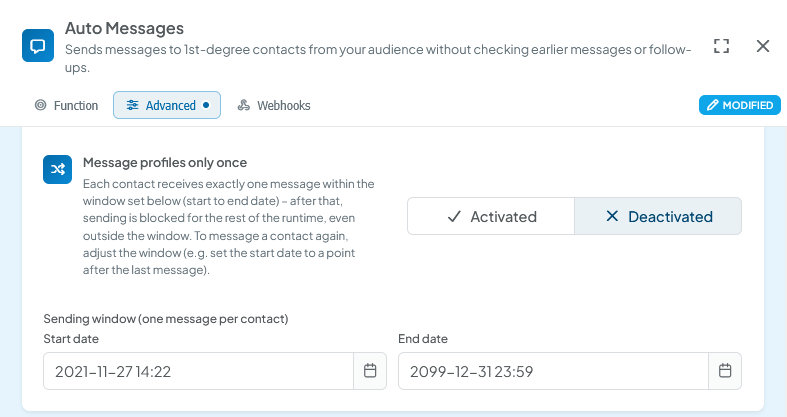
If the contact has received a message between the start date and end date, they will be skipped in all subsequent runs. Therefore, a contact can only receive one message within the specified time interval using this function.
This also applies to identical functions. For example:
If a contact has been messaged in one campaign message function and the same contact appears in another campaign message function, with a start-end date set, then this contact will be skipped.
- For InMail and Auto Messages, entering a start date is required and is set by default to your registration date in CompLeadly.
- For Campaign Messages, entering a start date is optional! If you do not provide a start date or delete it, CompLeadly will only consider the other configured parameters.