Step-by-Step Guide
-
Open the Network tab
In the LinkedIn feed, you will find the "Network" option at the top. Click on it to access the network area.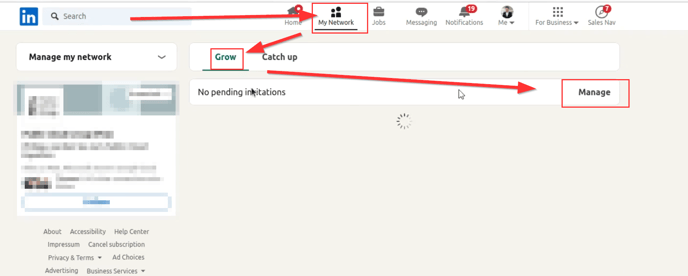
-
View invitations
In the network area, you should see an option called "Grow." Click on it and then select "See all"/"Manage" to get an overview of all the invitations you have sent. -
View sent invitations
In the overview of invitations, there is a menu item called "Sent." Click on it to open the list of your sent invitations.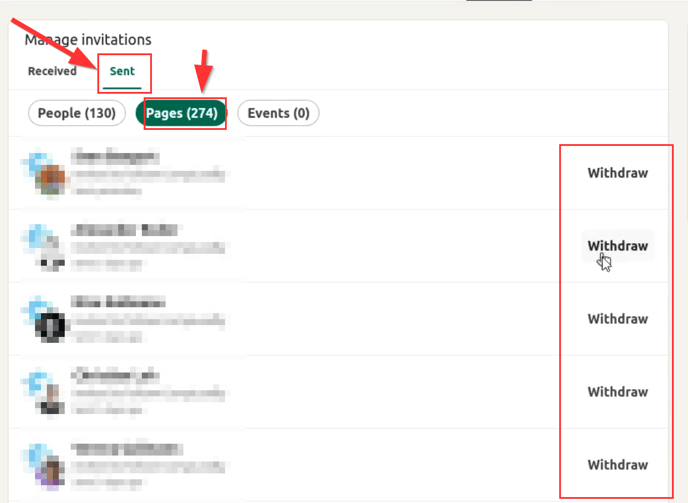
-
Select company pages
In the view of sent invitations, you will find a section called "Pages." Here, all invitations you sent to follow your company page are displayed. -
Withdraw invitations
In this section, you can now select the invitations you want to withdraw and remove them accordingly.