Steps to Import Your Lists
First, you should look at your existing lead lists in Sales Navigator. It's important to know that you cannot use the direct link of the list.
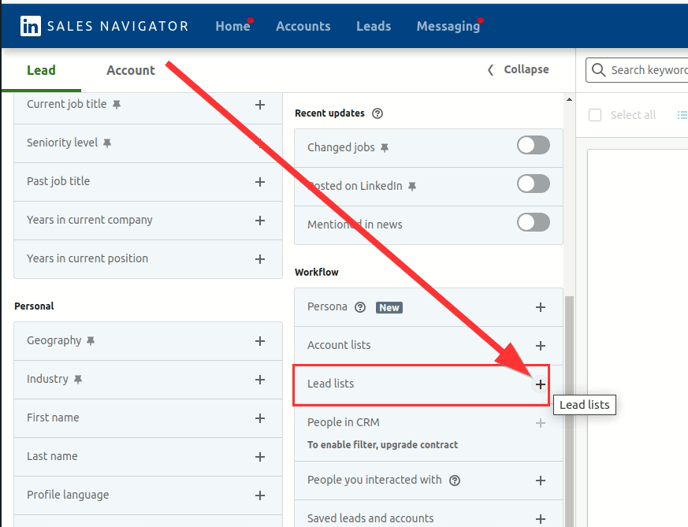
Instead, you need to use the search field in Sales Navigator. A simple click on 'Enter' in the empty text field or on "lead filter" opens a menu where you can access your own lists.
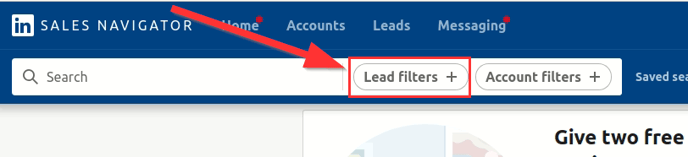
Choose 'Leads' there and decide on the list you want.
Integration into CompLeadly
Once you have selected your list, CompLeadly comes into play.
Copy the URL of your list from Sales Navigator and save it in CompLeadly. To do this, create a new search in CompLeadly, paste the copied link, and give your search a name. This simple method helps you integrate your lead list into CompLeadly and use it as usual in the different functions of the software.