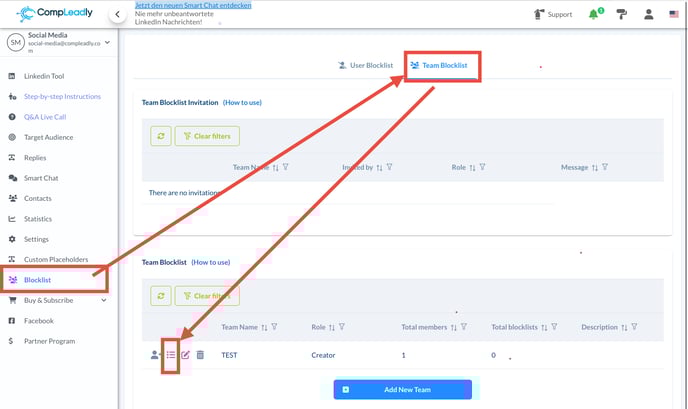
What is a team blocklist and how does it work
It is used to make certain contacts inaccessible to your team. This is especially useful when you use features like LinkedIn networking and want to exclude certain individuals who have already been contacted by the team.
Managing your team and the team blocklist
To create a new team, you first need to name the team and designate yourself as the editor. As an editor, you can add team members, insert profiles into the blacklist, and assign roles to each team member. For example, as a “viewer,” a member can view the blocklist but cannot add new contacts.
Invitations and team member management
To add a team member, you need their user ID and email address. Once the invitation is sent, the member can accept it and become part of the team. As a team member, they can see which contacts are blocked and can leave the blocklist. However, as a “viewer,” they cannot add new contacts to the blocklist. This permission is reserved for editors only.
How to add contacts to the team blocklist
Adding contacts to the team blocklist is a simple process. Scroll down in the function and select the option “Save profiles to a team blocklist.” Here, you can specify that contacts who are scanned, visited, or connected are automatically added to a specific blacklist.
You can also manually add contacts, whether through a LinkedIn link, Sales Navigator link, or by importing an Excel list.
This can be done here: