Opportunities for Function Transfer
The good news is that CompLeadly offers solutions exactly for this purpose. There are two main ways to transfer functions from one sequence to another without having to start from scratch. These options offer flexibility and efficiency for your LinkedIn activities.
Duplicate Sequence
The first option is to duplicate the entire sequence. This method is ideal if you have a fully built sequence that works effectively and you want to use it as a basis for a new target group or campaign. With the duplication function, you can copy the entire sequence, which means all settings, messages, and processes will be transferred 1:1. Afterwards, you can adjust the duplicated sequence as needed.
Click on Overview or the name of the sequence in the sequence and you will come to the overview.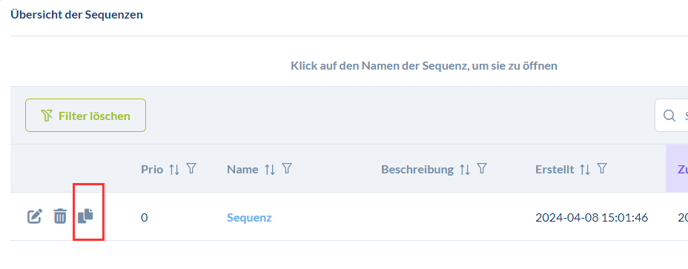
Transfer Individual Functions
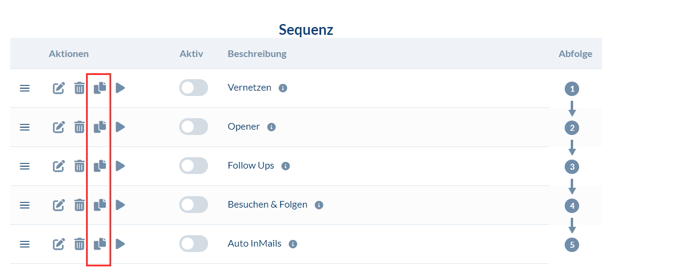
If you only want to transfer certain functions from one sequence to another, CompLeadly also offers a solution for this. You can duplicate specific functions and copy them to the same or a new sequence. This is particularly useful when only certain aspects of a sequence are relevant for another target group or campaign.
In the sequence itself next to the function, you will find the button for duplicating.