- Restart your computer and try again.
- If that doesn't work, open CompLeadly.
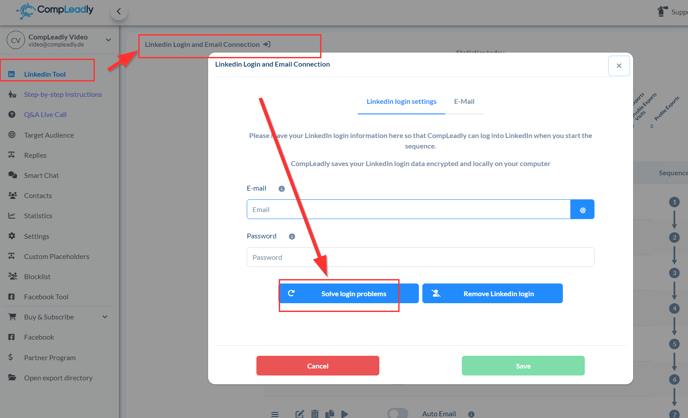
- Click on "Resolve LinkedIn Login Issues" (see image).
- Go to the LinkedIn Tool in the menu on the left.
- LinkedIn Login and Email Connection
- Resolve Login Issues
- Log in to LinkedIn if the feed doesn't open directly.
- Navigate to Sales Navigator.
- Did it work?
If yes,
1) please navigate to the LinkedIn feed➔ https://www.linkedin.com/feed
2) and then press "Get Page Content" in our Chrome Extension.
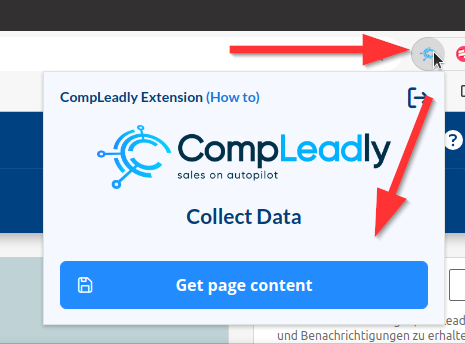
You can get the CompLeadly Chrome extension in the Google Chrome Web Store. Simply search for CompLeadly.
We then receive analysis data and check it directly.