- What is new?
- Where can I find my old texts
- How do I set up e.g. the invite function?
- How do I create a target group
- The start page is no longer displayed in the functions
What's new?
- You can now create an infinite number of function sequences.
A sequence is similar to the autopilot, where you can activate functions and run them in your order. - You can add an infinite number of functions with different texts and settings into a sequence and make e.g. split/AB tests (only for premium subscriptions)
- Schedule sequences in calendar design
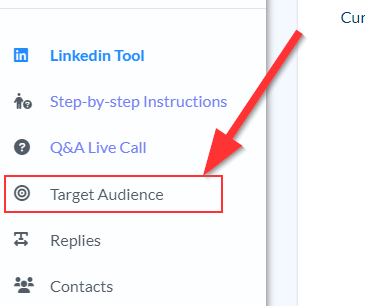
- Your target groups have moved to the left menu
How do I set e.g. the linking function?
The start page is no longer displayed in the functions
The start page is automatically incremented by CompLeadly.
CompLeadly also automatically restarts at page 1 once the last page of the search has been reached.
CompLeadly restarts at page 1 one time for each function.
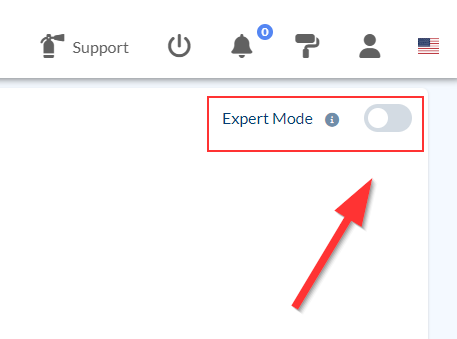
If you want to see or change the start page yourself, you can activate the expert mode in the top right corner.