Activating the Function
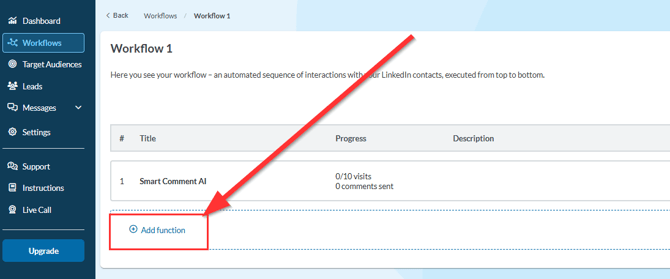
You can find the function by clicking on “Add Function” in your workflow.
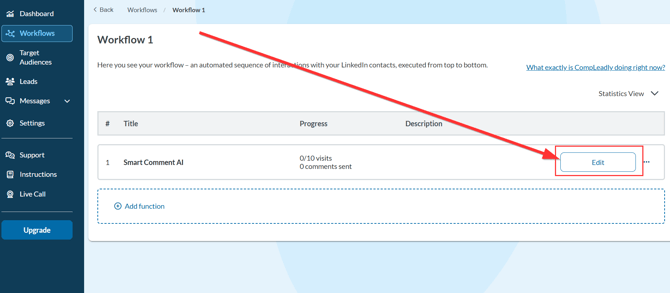
After adding it, you can adjust it anytime via “Edit.”
In the function settings, a menu with several options will open:
- Select target group:
Define whose posts should be commented on.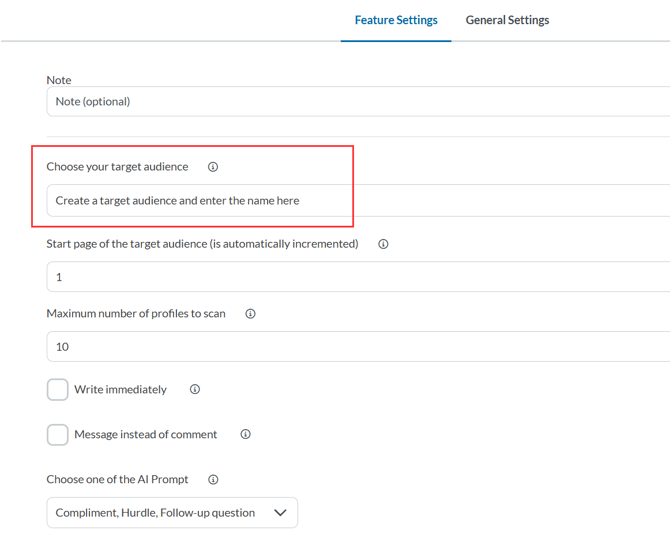
- Maximum number of profiles to scan:
Here you determine how many profiles should be checked to see if a post exists. Not all scanned profiles will automatically receive a comment—only those with an active post.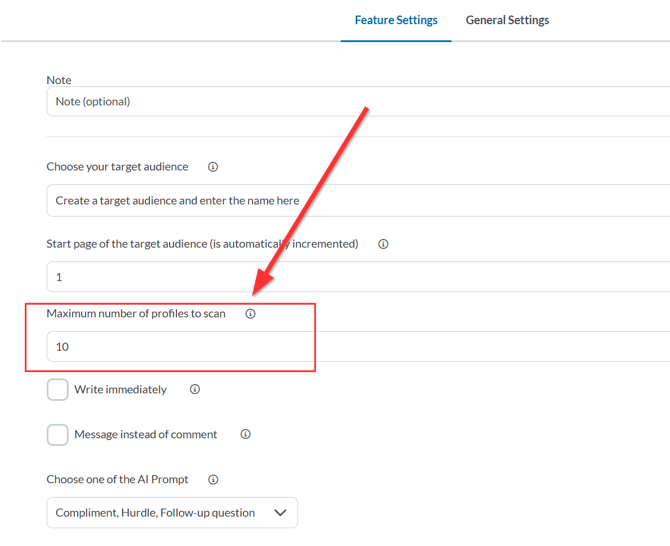
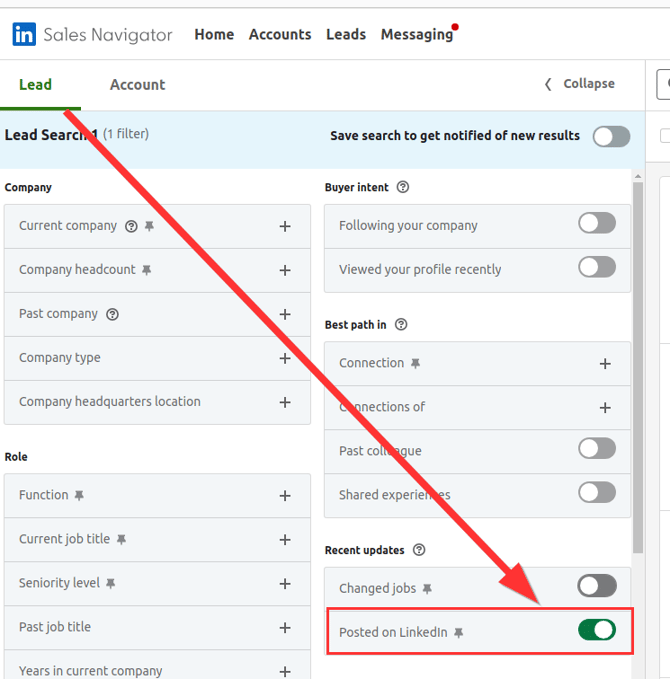
Tip for Sales Navigator
If you use Sales Navigator, you should activate the filter “Posted on LinkedIn in the last 30 days.”
This ensures that only profiles that have actually published posts on LinkedIn are selected.
Comment or Message
By default, CompLeadly creates comments under posts.
Optionally, you can activate the “message instead of comment” function.
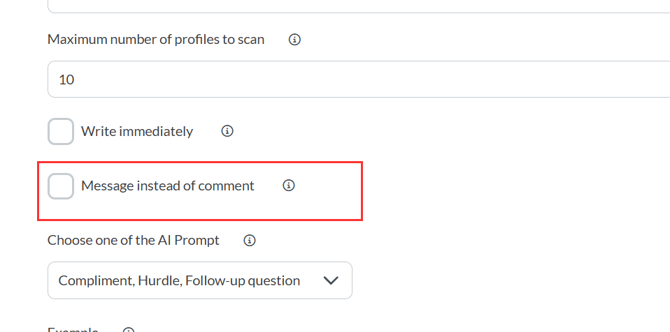
This is particularly useful for 1st-degree contacts – people you are already connected with.
When the checkbox is activated, CompLeadly automatically sends a message to the post author – including a reference to the corresponding post. This increases visibility, especially for posts with many comments.
AI Comments & Prompts
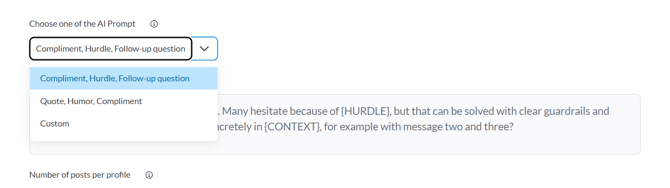
CompLeadly uses AI Prompts to create comments.
You have two options:
- Predefined templates such as “Compliment + Challenge + Question” or “Quote + Humor + Compliment.”
- A custom prompt that you can design individually.
You can test and adjust your prompts as you wish. Before comments are published, they can always be reviewed and approved.
Advanced Settings
In the function options, you can additionally define:
- How many posts per profile should be commented on (recommended: 1)
- Post age (e.g., up to 99 days old)
- Number of existing likes or comments to interact more specifically
- Skip profiles without a profile picture
- Waiting time before revisiting a contact
- Gender filter (optional)
These settings help you act strategically and authentically – instead of commenting randomly.
Comment Review
Before a comment goes live, you can review it in the “Smart Comment AI” section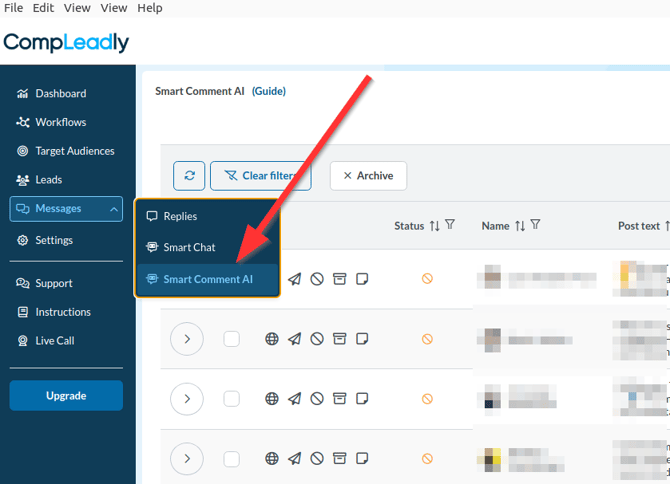
- Here you can see all generated comments in a table – including post text and contact information.
- Click on the arrow to open the post and the generated comment.
- You can edit, save, or delete the comment.
- Only by clicking the paper plane icon will the comment actually be published.
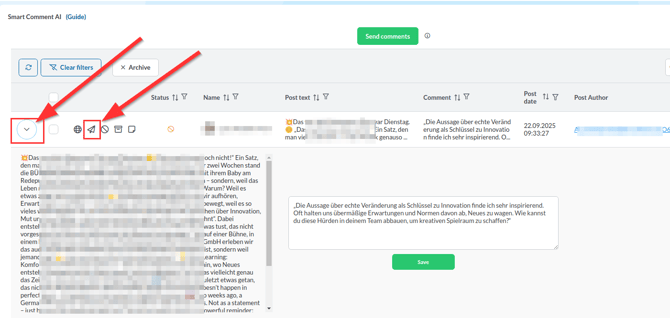
Unapproved comments are not sent automatically.
Summary
With Smart Comment AI, you can:
- Automatically engage with your target audience’s posts,
- Create individually adjustable AI comments,
- Filter posts strategically by activity and reach,
- Send personal messages instead of public comments if needed,
- And review all content before publication.
This way, you remain visible, authentic, and active in your target audience’s feed with minimal effort.
Support
If you have questions about setup or usage, you can use the Support button anytime or join the Q&A live call.