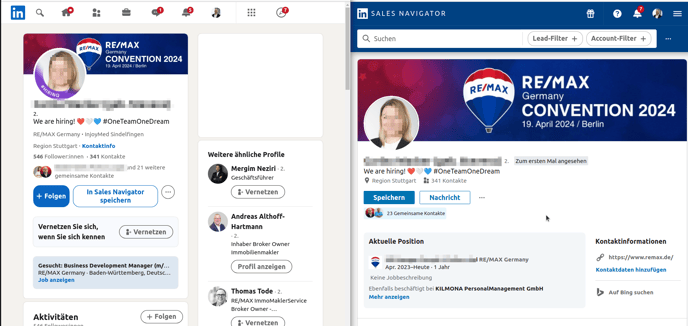
LinkedIn offers a wealth of opportunities to specifically search for potential clients or partners. An effective strategy can be to search for keywords like "hiring" to find profiles that are actively looking for new employees. This method opens direct paths to contact potential interested parties who explicitly express their interest in new opportunities.
The Challenge: Targeted Search for "Hiring"
Despite LinkedIn's extensive search features, there is currently no direct filter option to identify profiles that use the term "hiring" in their profile picture or in special banners. This represents a limitation since such visual cues are often used by users to signal their openness to new business relationships or employment opportunities.
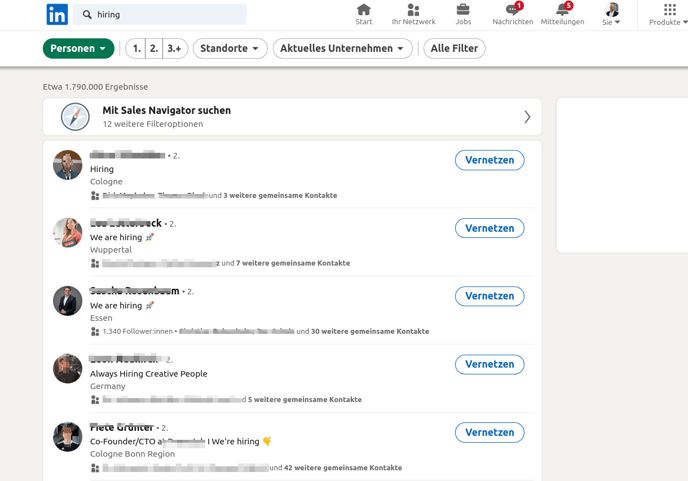
Example Search:
Possible Solutions
A temporary but simple solution is to use the keyword search field of LinkedIn searches with the term "hiring." This approach can produce a wide range of profiles that are dealing with the topic of recruitment or new employees in some form. It is a direct approach that can be quickly implemented and delivers initial results, even if it is not fully tailored to the specific requirements.
Nice-to-Know
The banner "#hiring" in the Profil picture is only displayed on LinkedIn, not in Sales Navigator.