If you are using our cloud server, CompLeadly’s export files are also stored there.
By default, there is no program available to open these files.
To avoid having to send the files to your own computer, you can simply download Libre and install it in the cloud.
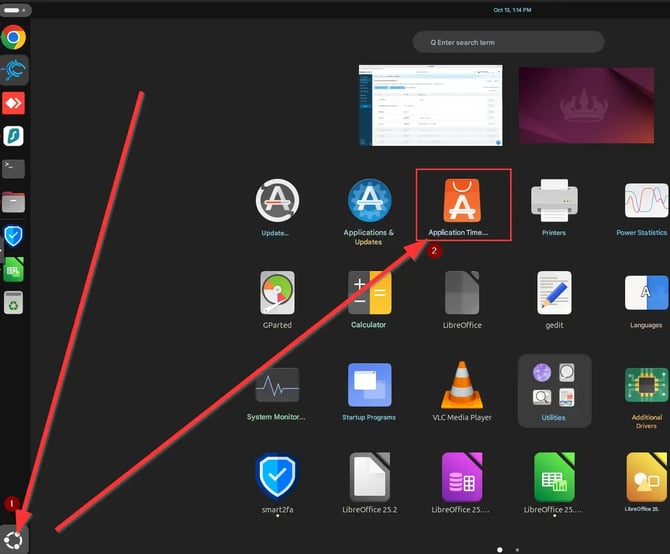
• First, open the Application Center on the cloud
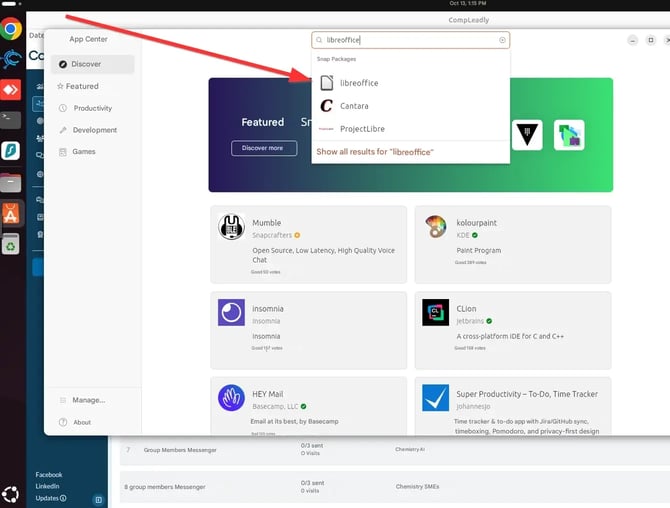
• Then, navigate to the search bar and look for “LibreOffice”
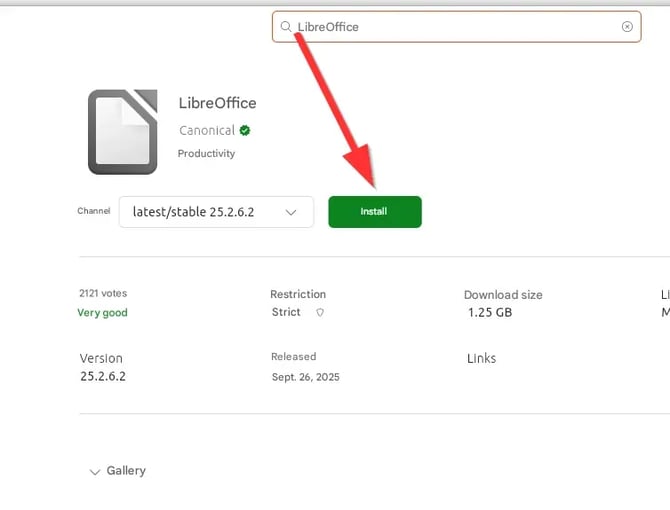
• Now click on Install. Done!