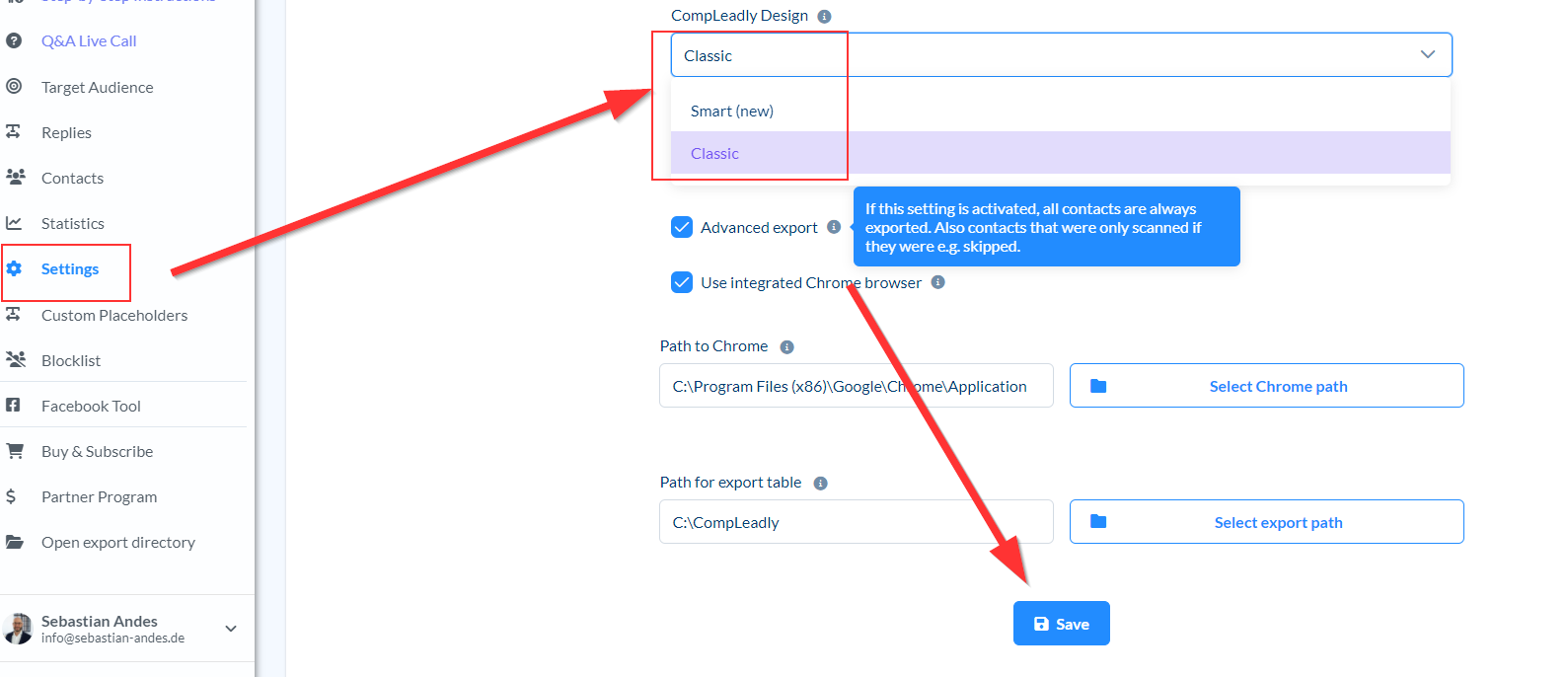
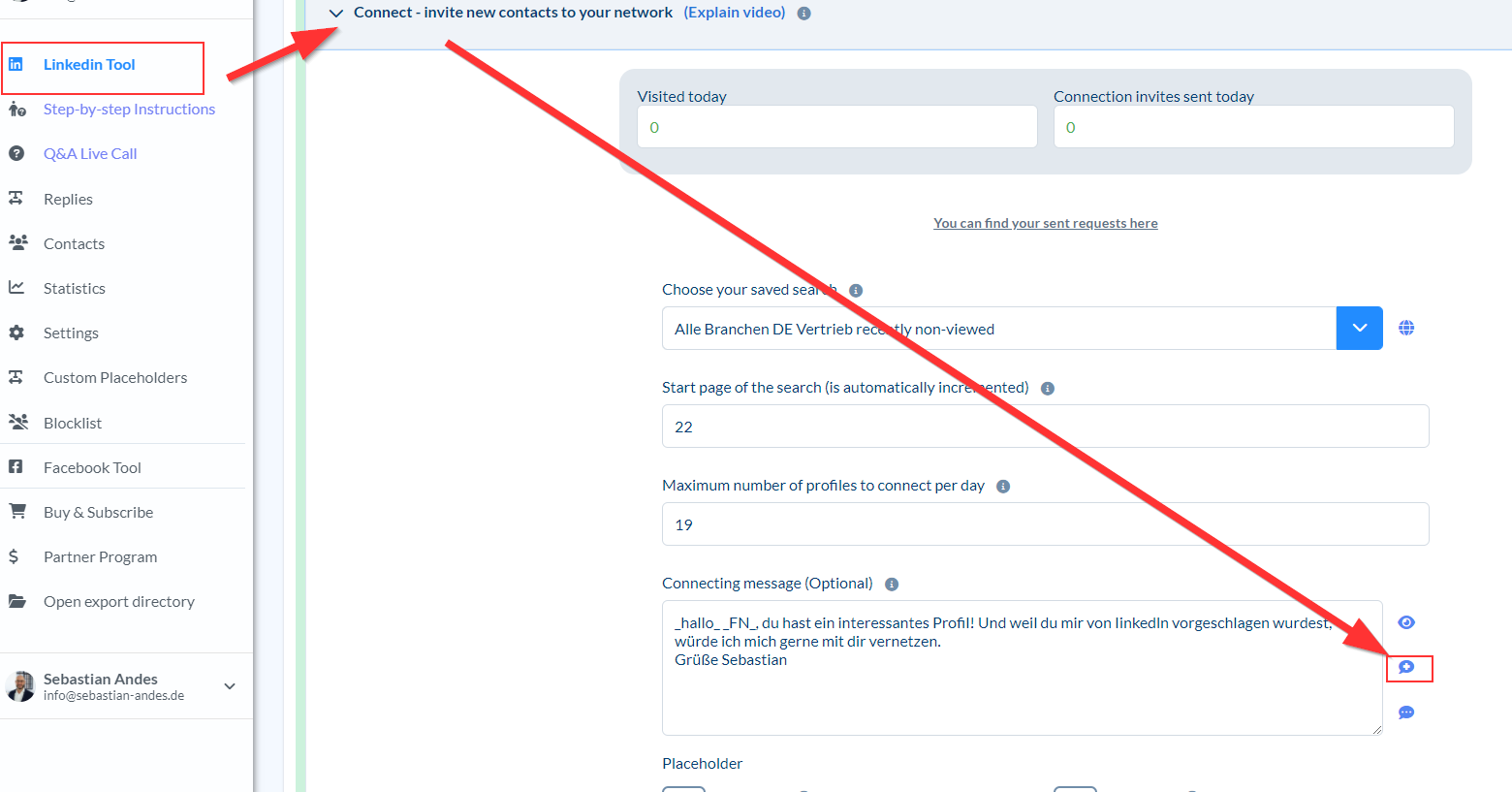
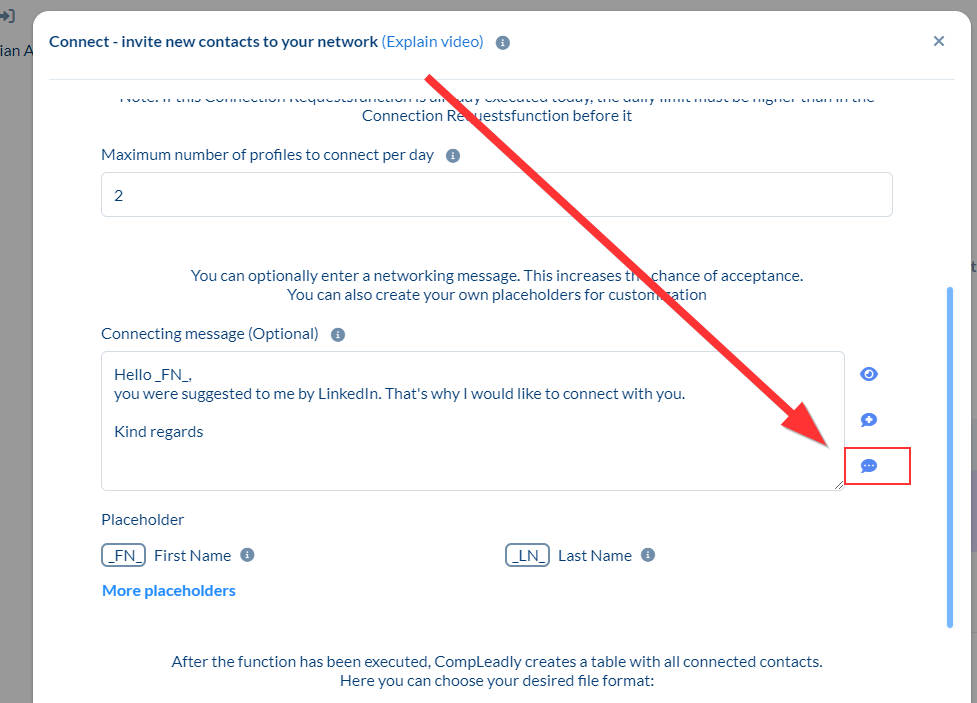
My old texts/settings are gone We have saved your settings & texts in a sequence called "Old Autopilot Settings". You will find more settings back in the classic design. Change to classic design Go to the function whose text you want to save Click the Save button next to the text box. Switch to Smart Design Open a function Next to the text field you will find the "Load message" button. There is your message