1. How to check whether the function is active for you
You can check the status of the function directly in LinkedIn:
-
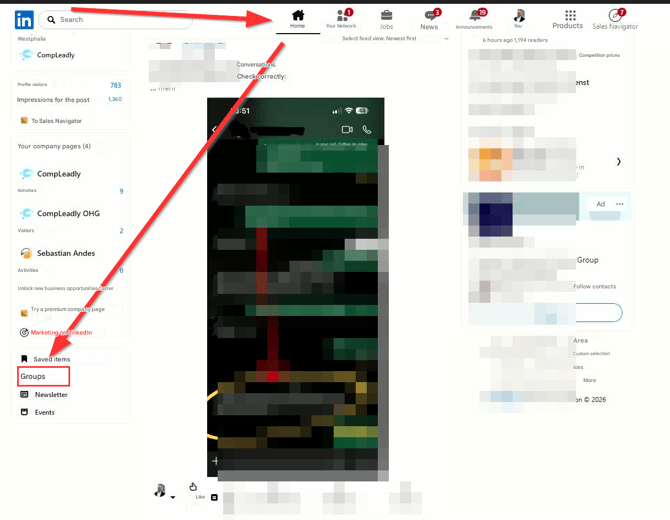
Go to the homepage.
-
Click on Groups in the left-hand menu.
-
Open the Your Groups tab.
-
Select any group in which you are a member.
-
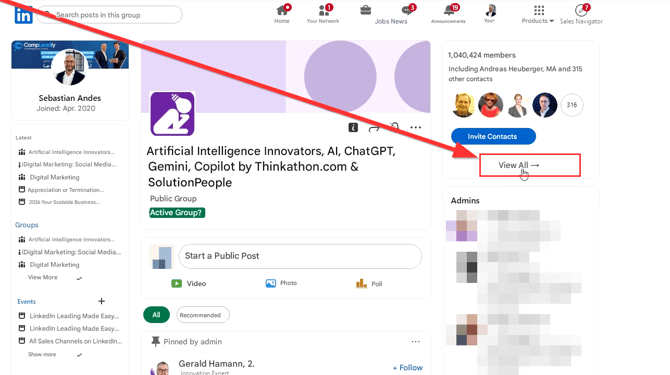
Click on See all to view the member list.
-
Select a member who is a 2nd- or 3rd-degree connection.
-
Click on Message.
There are now two possible scenarios.
2.How to recognize a restriction
✅ Function active
-
A normal message window opens.
-
No InMail credits are required.
-
You do not have to send a connection request.
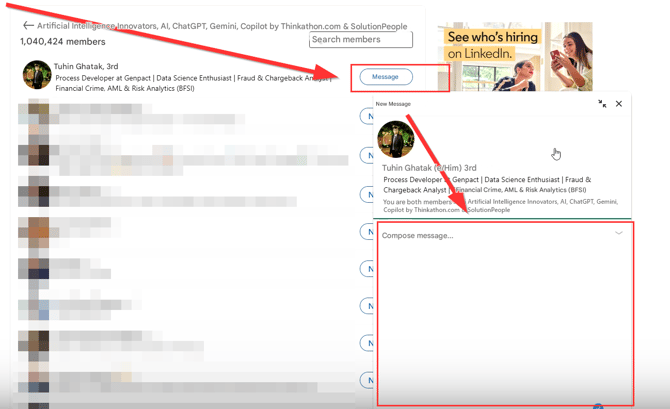
In this case, you can message group members directly.
❌ Function restricted
-
Instead of a normal message window, the profile opens in Sales Navigator.
-
An InMail window appears.
-
At the top, “InMail credits” or “Open Profile” is displays
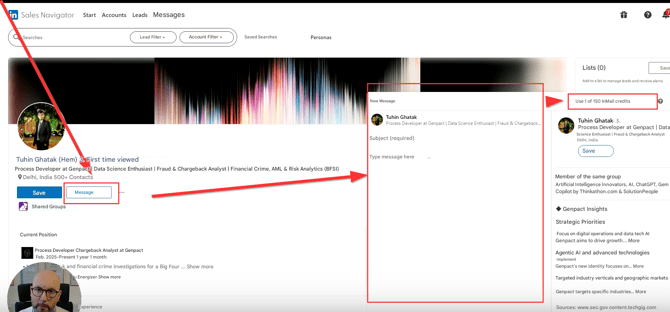
In this case, the group member messaging function is temporarily deactivated for you.
3. Procedure in the event of a restriction
If the function is restricted, proceed as follows:
-
Deactivate the group member messenger function in CompLeadly.
-
Wait approximately two weeks.
-
Then check again whether a normal message window opens.
In rare cases, the restriction can last up to four weeks. After that, the direct messaging function usually works again.
During this time, you can continue working via connection requests or InMails.
4.Significance for your direct outreach on LinkedIn
If the function is active, you gain an additional way to directly approach potential contacts.
This gives you three parallel options:
-
Connection request with a message
-
InMail via Sales Navigator
-
Direct message to group members
The group function expands your reach within existing communities and increases your contact opportunities without requiring additional InMail credits.
If the function is temporarily unavailable, this is a restriction on LinkedIn’s side. After a waiting period, it is usually possible to use it again in most cases.