If your search yields more than 2,500 results, the excess results are not displayed and therefore cannot be connected or written to. To get the most out of your search and ensure that you can reach all potential contacts, there are some strategies you can apply:
- Regional Segmentation: One way to reduce the number of search results is to limit the geographical region. For example, if a global search yields too many results, you could limit the search to a specific country like Germany. If the results are still over 2,500, you can even go further and narrow the search to specific federal states.
- Target Group Management in CompLeadly: After segmenting the search in LinkedIn Sales Navigator, it's about integrating the optimized searches into CompLeadly. You can save the link to your search in CompLeadly under the "Target Group" function or copy it directly in the corresponding function. Name the target group according to your wishes and set the desired functions, such as the connect function. You can find the settings and instructions for each function next to the heading under Instructions.
- Sequential Processing of Target Groups: You can create multiple target groups and process them sequentially. For example, if you originally had 4,000 results, you could divide these into two target groups. CompLeadly will completely process the first target group before moving on to the second. You can also set the function to be deactivated once the last page of the target group is reached to ensure efficient processing.
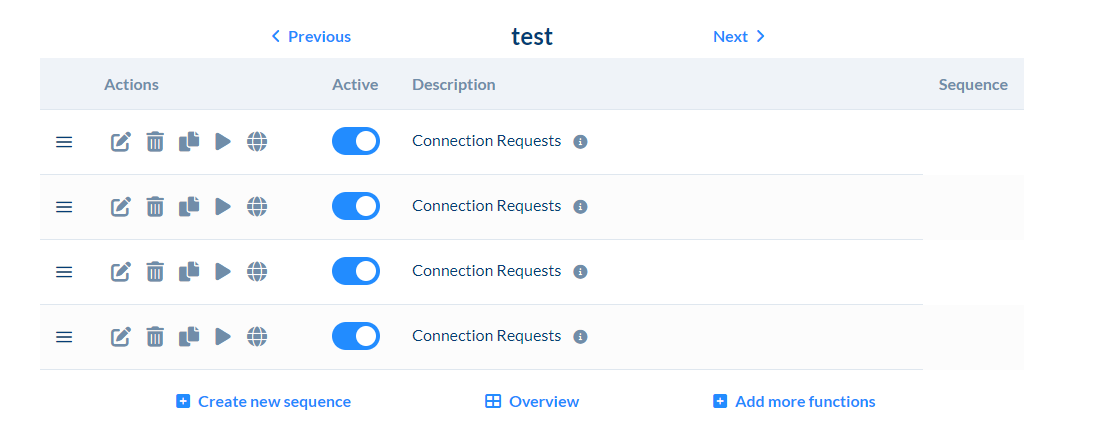
- Tracking Progress: With CompLeadly, you can track the progress of each target group and see when one target group is completed and the next begins. This is especially useful when working with large target groups that are divided into several smaller target groups.
- Further Procedure with Large Target Groups: For very large target groups with e.g. 10,000 results, you have to divide these into several smaller target groups and then go through them sequentially. The division allows you to thoroughly process each subgroup and ensure that you do not miss any potential contact.
By understanding and applying these strategies, you can significantly improve the efficiency of your LinkedIn Sales Navigator search and ensure that you fully exploit the potential of CompLeadly to reach and connect with your target group. If you have any questions or uncertainties, the support button is available to you, or you can participate in the daily Q&A live calls to get further help.