This article outlines the steps for tailoring messages and campaigns to different target groups, allowing you to communicate in a targeted and personalized way.
Preparation: Disable the Opener Function
Before starting the customization, it is necessary to disable the Opener function. This feature sends messages to all new contacts, regardless of the target group. However, if you want to send different texts to different target groups, you must disable the Opener function.
Setting Up the Campaign Messaging Function
To send target group-specific messages, you need to use the campaign messaging function. This feature allows you to reach specific target groups with tailored messages.
- Add Campaign Messaging Function: Click on "Add More Function" and select the campaign messaging function.
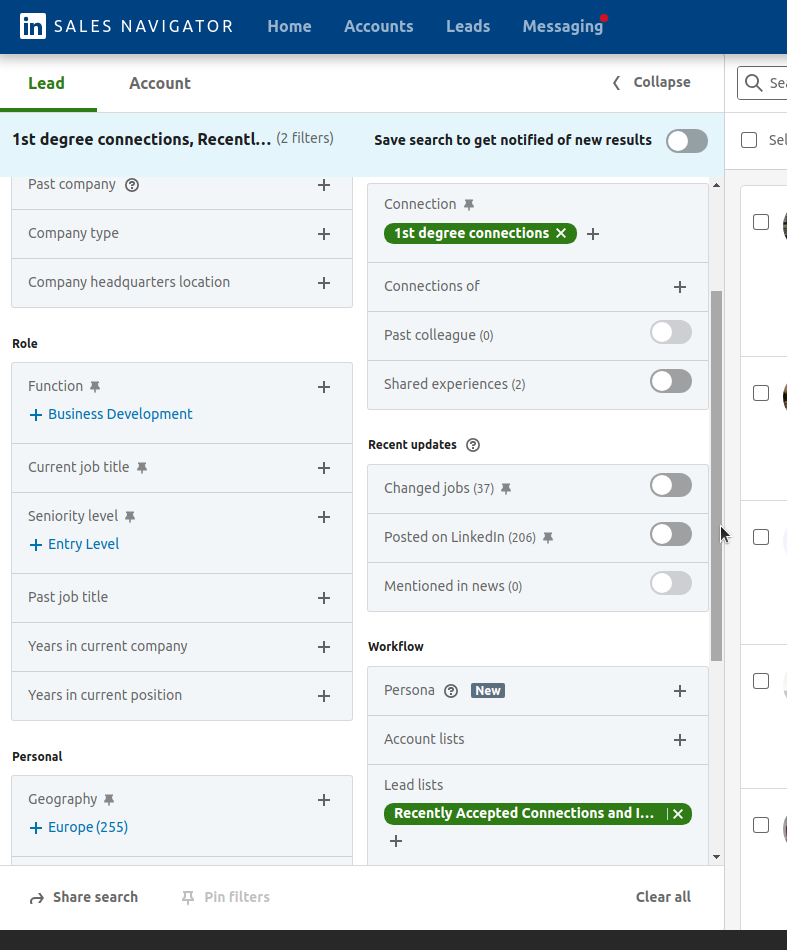
- Select Target Group: Define a target group by selecting contacts who have recently accepted your connection request. You can do this through the Sales Navigator settings "Contact" and "Lead Lists." Copy the generated link and paste it into the campaign messaging function.
- Customize Message Text: Compose a welcome or thank you message to be sent as an opener to your new contacts. Set the message to be sent immediately after the contact accepts the request.
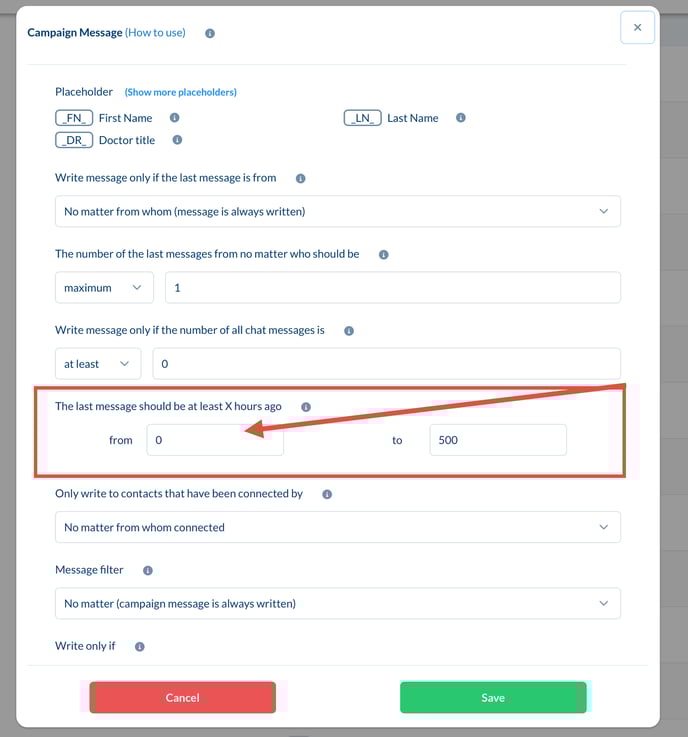
Configure Follow-up Messages
After the initial message is sent, it's important to set up follow-up messages to further encourage engagement from your contacts.
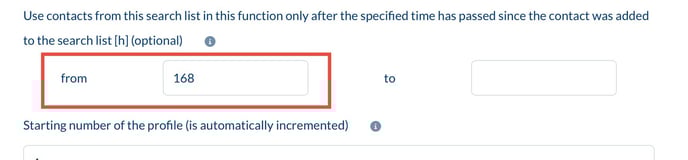
- Set Time Interval: Decide how long to wait after sending the opener message before the follow-up is sent. A typical interval might be seven days (i.e., 168 hours).
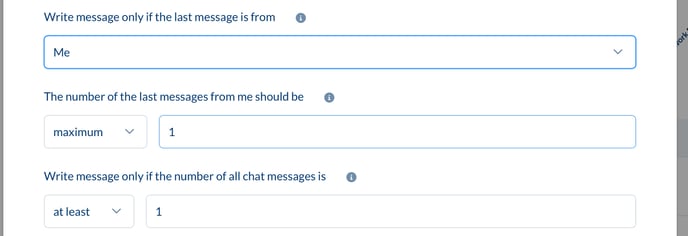
- Conditions for Follow-ups: Ensure that the follow-up message is only sent if the contact has not yet responded. The last message in the chat history must be from you.
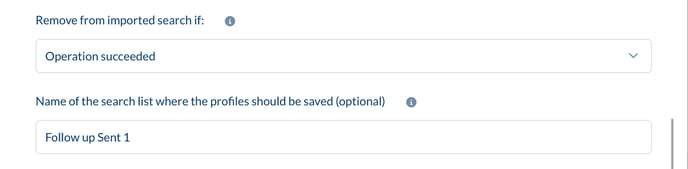
- Target Group Management: You can save contacts who have received the follow-up into a separate target group. This helps you keep track of the contact sequence and manage additional follow-ups more effectively.
Duplicating the Sequence for Other Target Groups
To make the success sequence usable for other target groups, you need to duplicate the sequence and make the necessary adjustments.
- Create a New Sequence: Click on the Duplicate button to create a new sequence. Adjust the target groups and message content according to the new target group.
- Set Target Group: Change the target group for the new sequence to match the new contacts. Ensure that the filters and conditions are correctly set to ensure targeted communication.
- Customize Text: Modify the message content according to the needs of the new target group. This could involve using a different tone, specific offers, or other relevant information based on the context.