New view in LinkedIn (Admin Center)
Change payment method
➔ https://www.linkedin.com/manage/purchases-payments/payment-methods
Find next billing amount / cancel
➔ https://www.linkedin.com/manage/purchases-payments
Old view (Directly in Sales Navigator)
https://www.linkedin.com/sales/settings
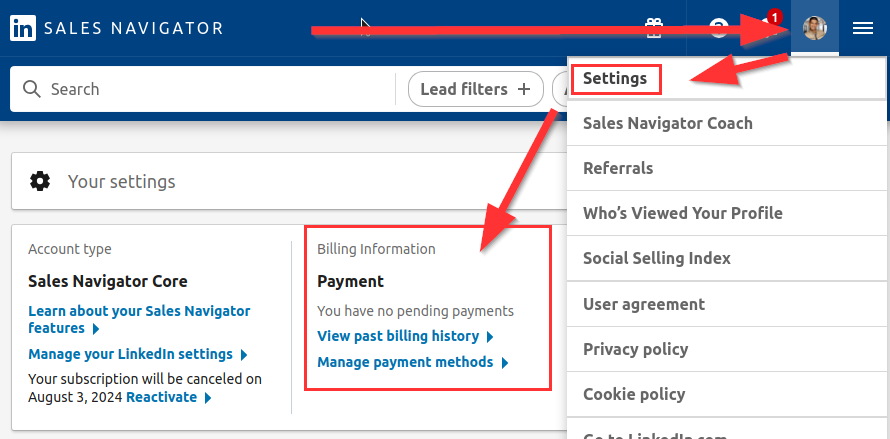
Here you can view the billing history and manage payment methods.