The target group import function in CompLeadly is a useful tool, but it requires precise details to identify and reach the desired contacts.
This is how you can import a search:
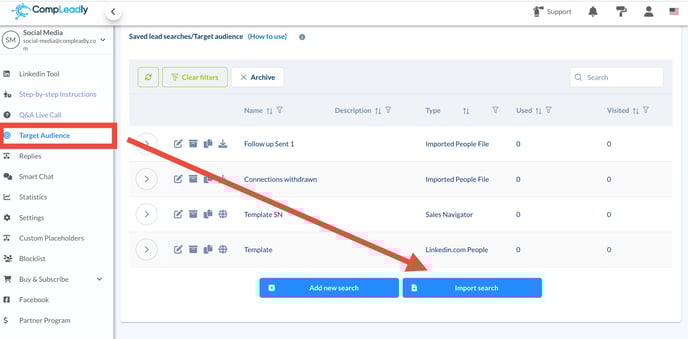
You can import the search if the data format of the Excel file is ".xlsx".
The Excel file must contain the exact LinkedIn profile link of the person you want to import.
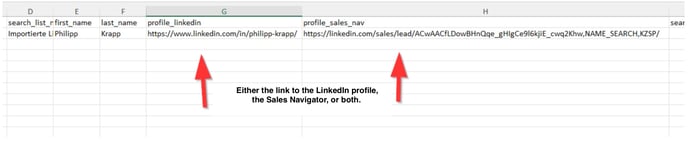
More details: Which fields need to be included in the import file for a search list.
This profile link can either come from the Sales Navigator or simply be the link to the regular LinkedIn profile.
LinkedIn does not allow vague or inaccurate information like "Sam Miller from JohnDoe LLC"
Such a description is not sufficient to find the specific person on LinkedIn.
Therefore, it is important that you save the exact LinkedIn link for each contact in the Excel file.