Disable Automatic Restart
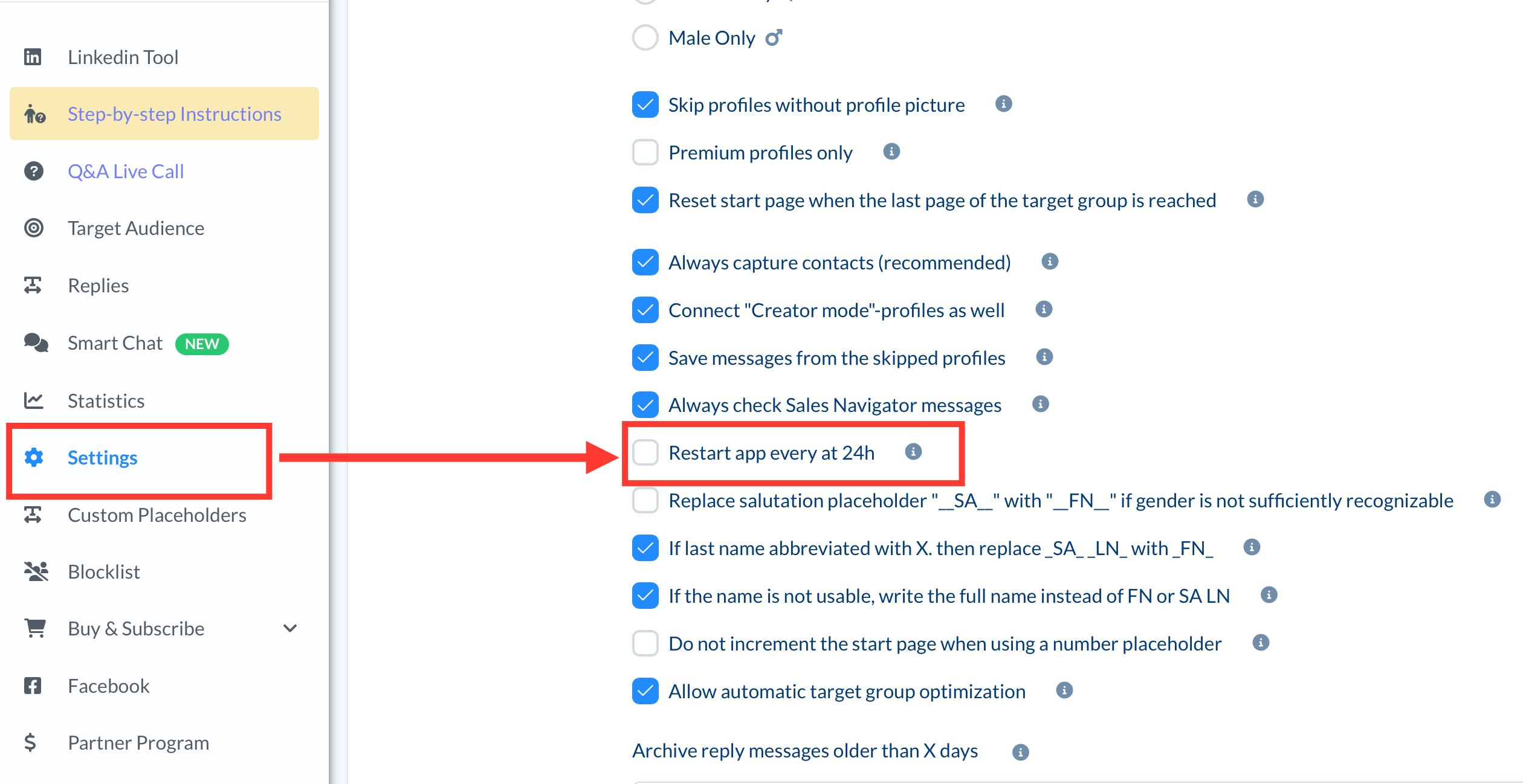
If the automatic restart causes a problem, you can disable this feature in the settings. Follow these steps:
- Open the settings in the CompLeadly menu on the left.
- Look for the option "Restart app every 24h."
- Disable this option.
Manual App Restart
If you have disabled the automatic restart, you should manually restart CompLeadly every few days. There is a button for this in the top right corner of the application.
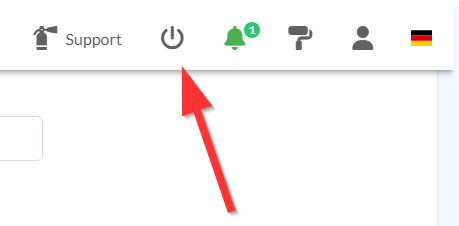
Restarting on the cloud server can take a few minutes.
Advantages of Regular Restarts
A regular restart has several benefits:
- Performance Optimization: Restarting clears temporary files and releases memory, improving the application's performance.
- Stability: Restarting helps prevent potential errors or crashes that can occur from long operating times.
- Updates: Scheduled restarts allow updates and patches to be applied automatically without manual intervention.
Summary
The automatic restart of CompLeadly at 12:00 AM is an important feature to ensure the application's stability and performance. If this restart causes problems, you can disable it in the settings and manually restart the application every few days instead.