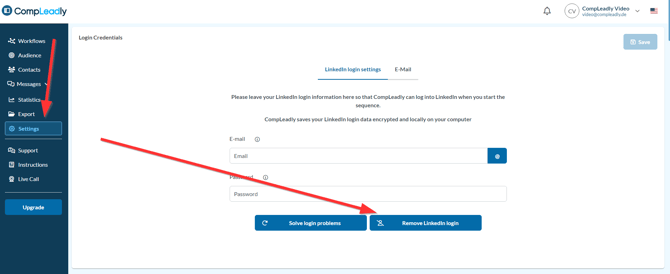
Change LinkedIn password in CompLeadly Click on Settiings in CompLeadly Remove the LinkedIn login with the "Remove LinkedIn Login" button. This will also delete the cookies in the CompLeadly browser Enter your new LinkedIn login data again. Click save