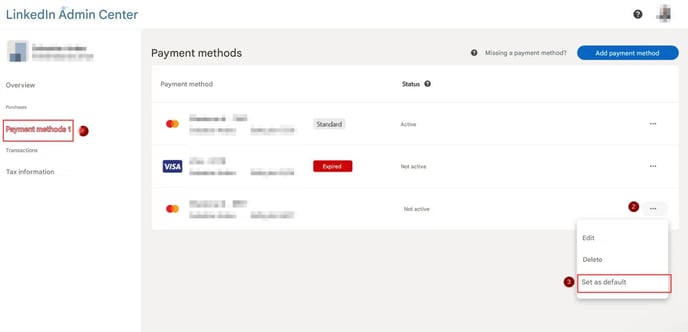
1. Access Payment Methods
- Log in to your LinkedIn account.
- Navigate to the ⤴Admin Center.
- In the left menu, select Payment Methods.
2. Set a Default Payment Method
- Find the payment method you want to set as default.
- Click the three dots (⋯) next to the payment method.
- Select Set as Default.
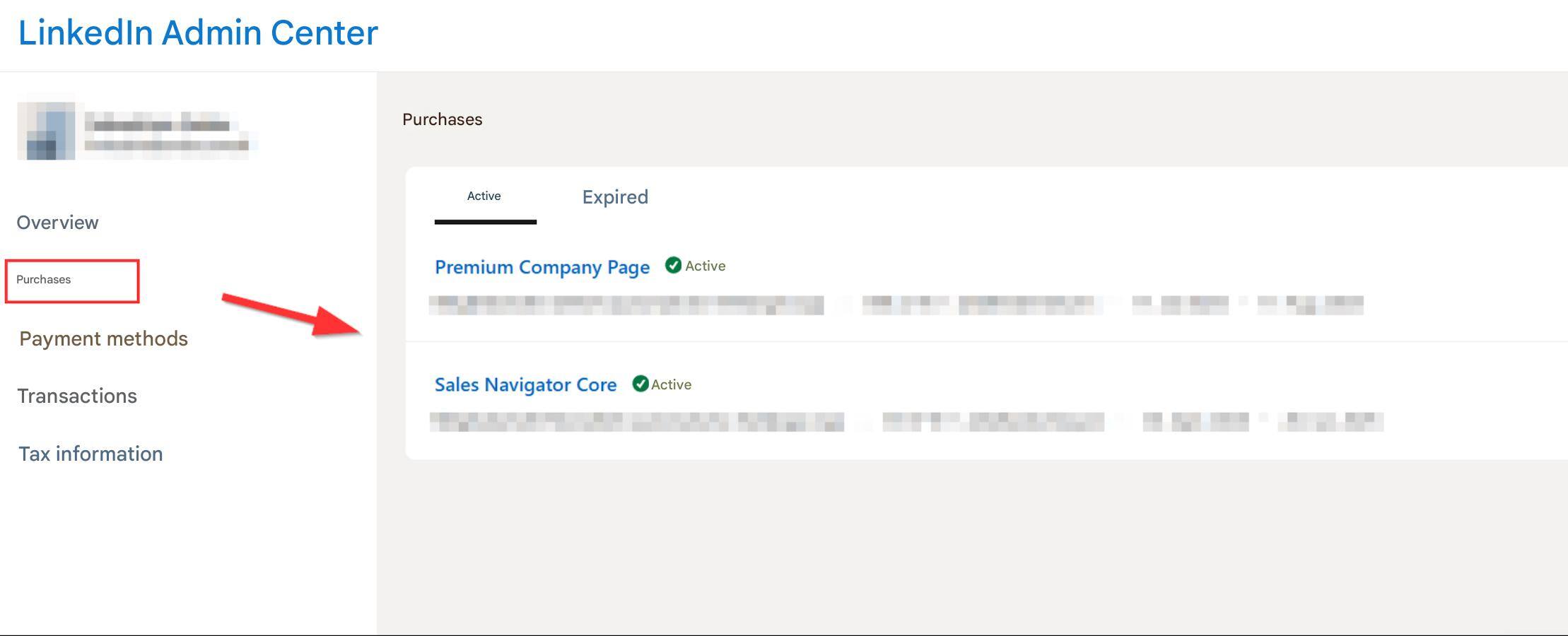
3. Switch Payment Method
- Go to Purchases.
- Select your active plan.
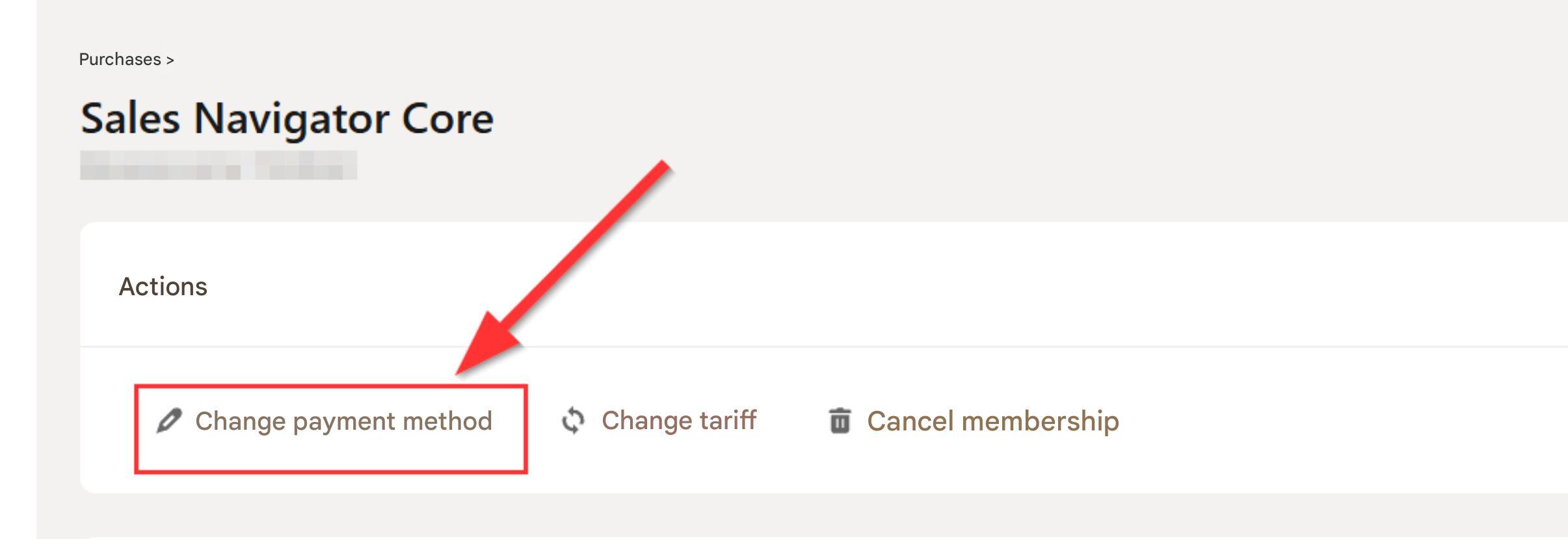
4. Change Payment Method
- Click Change Payment Method.
- Select the new payment method.