1. Navigate to "For Business"
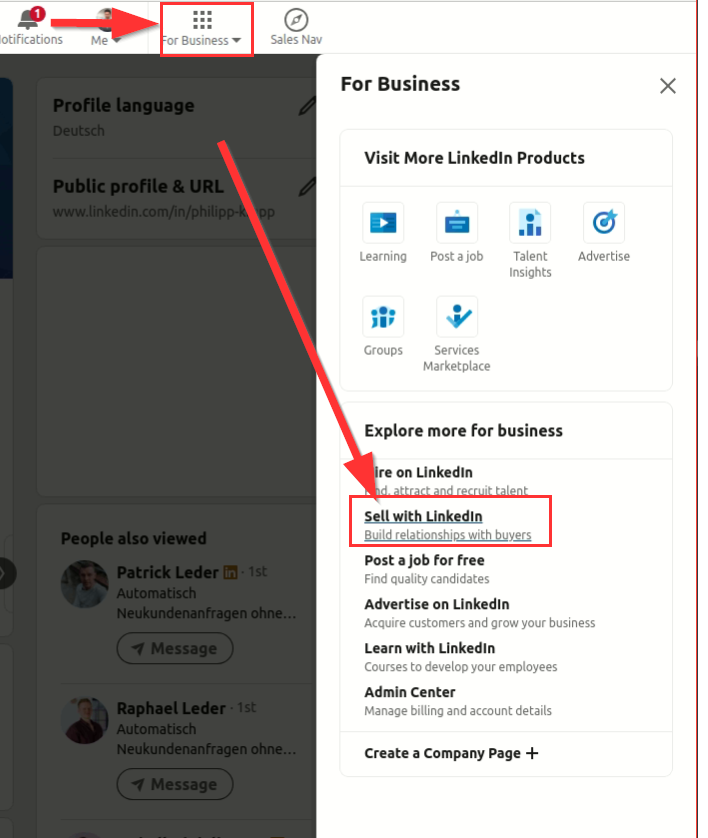
Start by heading to the top right corner of the LinkedIn homepage and look for the "For Business" option.
Once you're in the "For Business" section, you should find an option that reads "Sell with LinkedIn" or something similar. Click on this option.
3. Access the Sales Navigator Trial Page
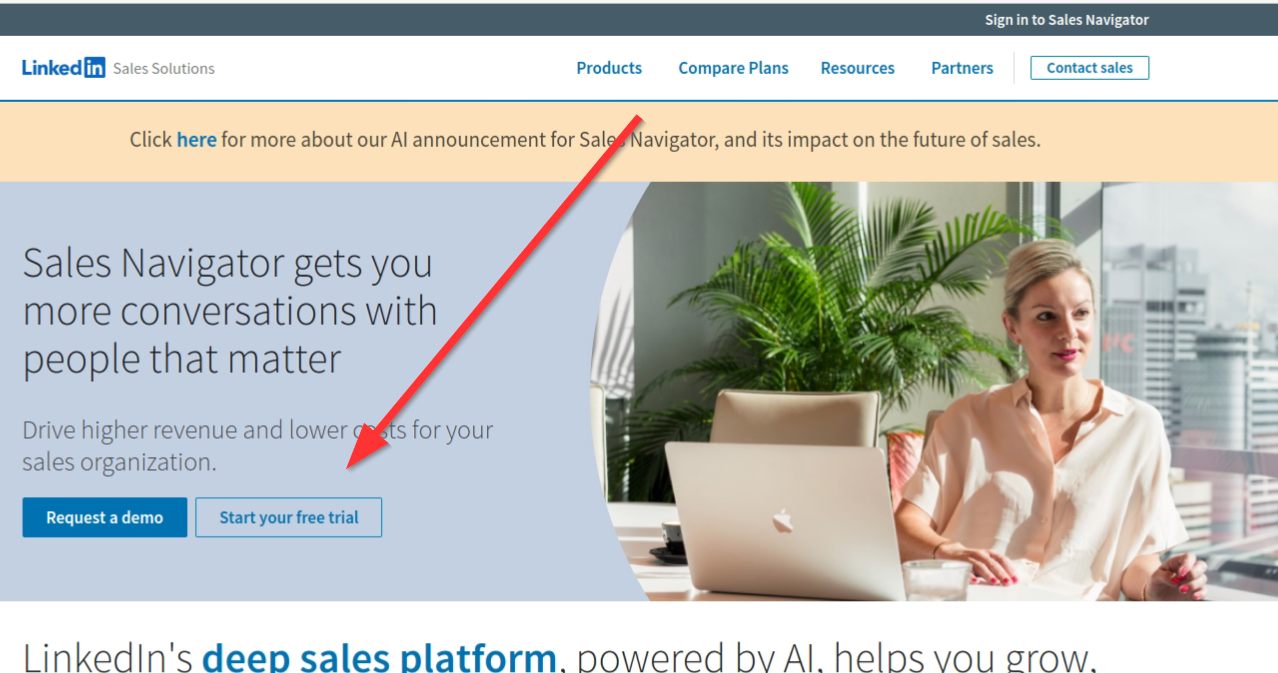
By selecting the "Sell with LinkedIn" option, you'll be directed to a new page. Here, you should find a button or link that says "Start Your Free Trial" or something of that nature. Clicking on this will take you to the Sales Navigator trial sign-up page.
4. Check for Trial Availability
On the sign-up page, you should ideally see the option for a "Free Trial". However, if you've previously utilized any premium subscription from LinkedIn, this option might not be visible. Instead, you might see options for monthly or annual billing. It's important to note that if the trial version isn't displayed, it indicates you've already taken advantage of LinkedIn's premium offerings in the past.
5. Proceed with the Trial
If the trial option is available, you can proceed with the sign-up process and enjoy the benefits of the Sales Navigator for the trial period.