Open the "You" tab and go to Settings & Privacy.
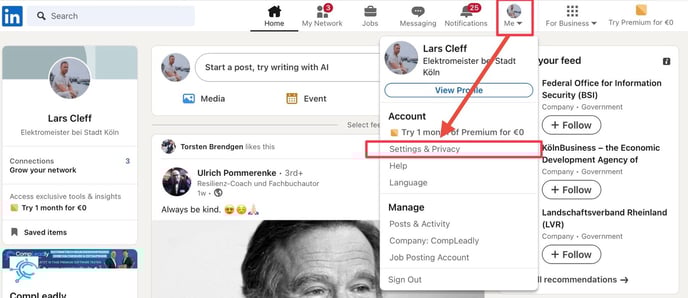
There, go to Communications and then to the "Updates to stay in touch with your network" tab.
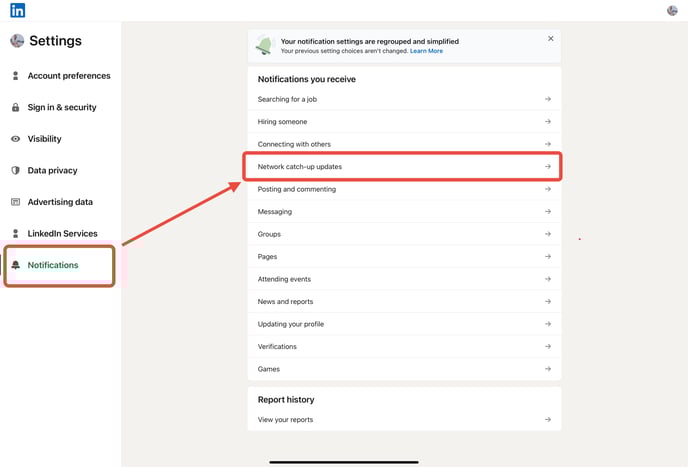
The following switches will now appear there.
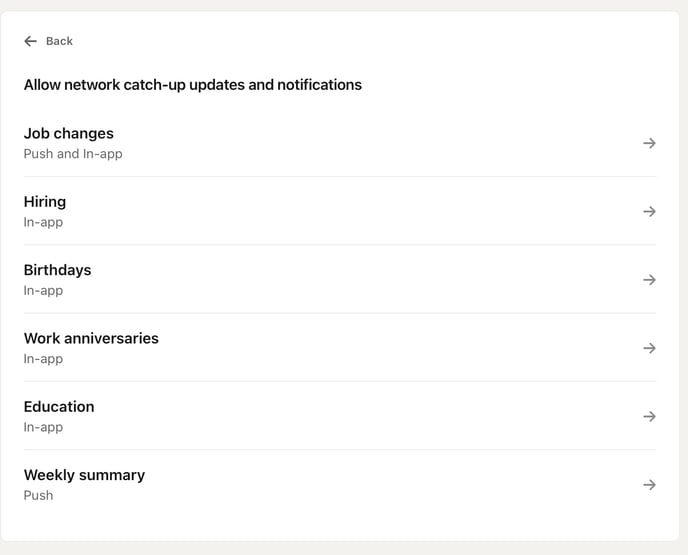
Here, you need to make sure that all the occasions you want to congratulate someone for appear in your notifications. Which ones those are is, of course, up to you.
IMPORTANT: If you select everything, LinkedIn will prioritize the most important notifications. This means that some notifications may still not be shown to you.